
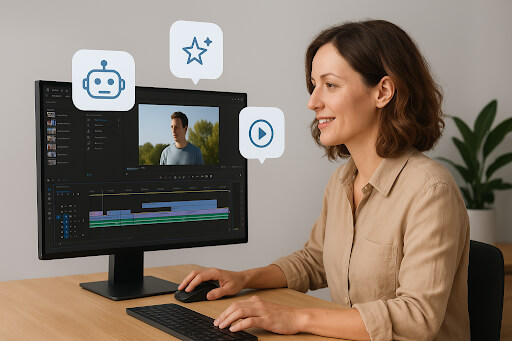
Artificial Intelligence is reshaping the way videos are produced, especially for beginners who want better results without learning complex editing tools. From short social videos to branded explainer content, AI can automate tasks that once took hours, scene detection, trimming, audio cleanup, subtitle generation, and even transforming scripts into polished videos.
Generative AI now plays a strong role in content creation. What used to require design expertise or professional editing knowledge can now be done through intuitive prompts and workflow forms. This helps beginners produce engaging videos quickly, maintain consistency, and publish more frequently. For small businesses, solopreneurs, educators, and agencies operating in cloud-based enterprise environments, AI simplifies editing, reduces overhead, and speeds up execution while keeping workspaces safe and functional.
Below are the top 5 beginner-friendly AI video editors to get started fast, along with guidance on what makes them suitable and how they differ.
1) Invideo
Invideo is built to help beginners create and edit videos easily while benefiting from advanced AI capabilities. It is ideal for users who want quick editing based on text instructions rather than manual timeline manipulation. Among various AI video editors, invideo stands out for allowing users to convert ideas into structured videos instantly.
Key Overview
Invideo’s AI video editor simplifies every step. Users can edit videos just by typing text commands. For example, you can delete a scene, mute background music, change transitions, adjust visual effects, swap media, or modify the voiceover, simply using natural language. Even beginners can revise full sequences without dealing with complex editing layers.
Invideo supports workflows covering 50+ video styles, including National Geographic-style narration, ad-style promotional videos for local businesses, educational explainers, social clips, and branded stories. A beginner can just fill prompt forms, and the system structures the video accordingly.
Invideo also supports the modern content strategy of being more agile, especially in a noisy digital landscape where maintaining trust, engagement, and relevance requires frequent content. Invideo enables creators to publish more efficiently without trading off quality.
Users who rely on text edits save significant time, making this useful for:
- Freelancers
- Small businesses
- Solopreneurs
- Marketers
- Course creators
- Teachers
- Content creators
- Video channels (including faceless channels)
- Filmmakers
It becomes easier to experiment with creative formats with AI video apps, allowing you to refine storytelling and maintain audience interest.
Invideo also empowers beginners with realistic voiceovers, offering a library of natural accents and tones. It allows frequent publishing, helping creators remain consistent on social platforms. When editing explainer content for learners or marketing campaigns, the clarity of narration improves audience trust.
Invideo maintains privacy controls and grants users a safe workspace within a cloud-based structure, helping maintain clean project access and regulated workflows.
Invideo simplifies video titling as well. To change the video title, you simply click and replace text, with no formatting pressure.
Highlighted Features
- AI-based editing with text commands
- 50+ workflow styles
- Realistic text-to-speech voiceovers
- AI actors and avatars
- Product clone generation
- 16M licensed media assets
- Fine-tuning without timelines
- Ready-made flows and generative clips
- AI agents and generative models
- Scene-level and video-wide editing
- Supports social platforms and explainers
For anyone looking to start fast, invideo makes production and refinement manageable, even with zero editing background.
2) Lumen5
Lumen5 offers script-to-video conversion where the AI aligns media, captions, and structure based on written text. It suits educators, marketing beginners, and social media managers who want quick explainer clips.
Best For
- Social media content
- Short marketing clips
Ease of Use
The workflow is straightforward and ideal for individuals who don’t want manual editing overlays.
3) Kapwing
Kapwing provides a combination of templates, auto-subtitling, smart resizing, and transcription to help beginners accelerate video creation. It supports multi-platform aspect ratios.
Best For
- Short-form content
- Repurposing existing footage
Ease of Use
The platform helps automate adjustments, making it approachable for first-time editors.
4) Steve AI
Steve AI automates script-to-video conversion and supports basic stock pairing and voiceover generation. It helps beginners create story-driven content without manual sourcing.
Best For
- Animated explainers
- Educational materials
Ease of Use
Beginners don’t need advanced creative knowledge to produce presentable videos.
5) Wisecut
Wisecut focuses on AI smart cuts. It analyzes speech, removes silence, and adjusts pacing. Beginners who record talking-head videos benefit from its structured automation.
Best For
- Talking tutorials
- Face-to-camera content
Ease of Use
Its ability to auto-trim reduces time spent on repetitive pieces.
How to Pick the Right Tool Fast
To narrow choices:
- Determine content type (social, educational, marketing)
- Evaluate workflow clarity
- Check automation features (captions, trimming, voiceover)
- Choose text-based control if you’re a beginner
- Look for cloud editing to save device resources
Final Thoughts
AI helps beginners produce polished videos faster and encourages consistent posting, crucial in a crowded content marketplace. Platforms like invideo give users confidence to publish frequently and build trust by visually communicating stories rather than just posting text updates.
FAQs
- Can beginners make professional videos with AI?
Yes, many platforms automate tasks traditionally done by professionals. - Are AI-generated voiceovers realistic?
Invideo offers convincing voiceovers with multiple tones and accents. - Can AI editing be used for business marketing?
Yes. It is valuable for brand storytelling, product explainers, ads, training content, and more. - Should beginners use workflows or templates?
Workflows are easier because they structure videos based on simple prompts. - Are cloud-based editors safe for workplace environments?
Yes. They maintain regulated access, backup safety, and collaborative workflows.

